The pirate game was a game that I played back in school around the holidays as a fun lesson. It is a game that involves a grid of money and actions, each tile of the grid is then chosen and the player either completes their action or receives the money. This adaption of the game creates an online experience for when we were all in lockdown.
The fist decision is to choose a JavaScript framework to use. I have used vueJS briefly but I didn’t really like it. The other two main frameworks are react and angular, whilst researching I came across NextJS which is based on react. NextJS has good documentation and features, so I have decided to use it.
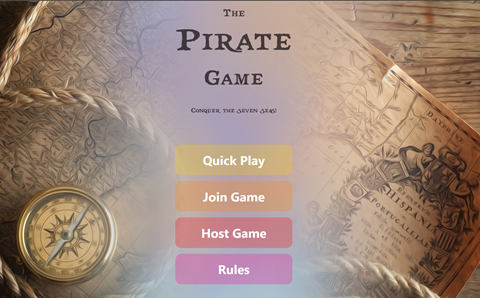
Main front page.
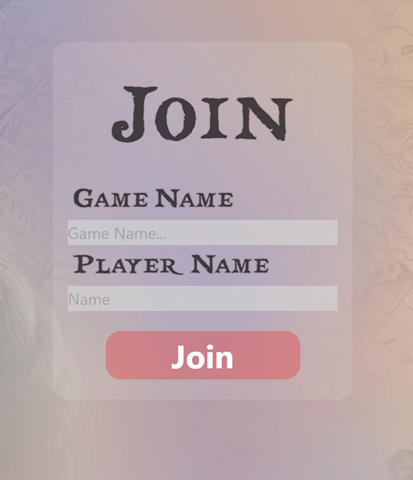
Next was designing the page in which the player entered the game that they wanted to join and their name.
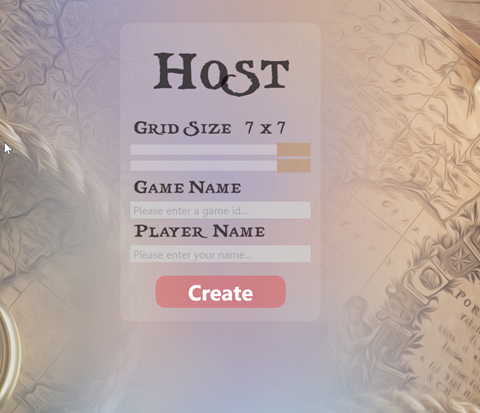
Then there needed to be a page where a player can create a game. This also required the size of the game board. This effectively allows the control of how long the game will run for.
This data that was collected from the players needed a database to be stored in, the main two options were mongodb and a version of sql. Mongodb looked more modern, but also came with a more complicated way of accessing it. I chose to go with mysql as it is old technology, but well supported. I also used prisma.io to connect to the database as this simplified the process quite a bit.
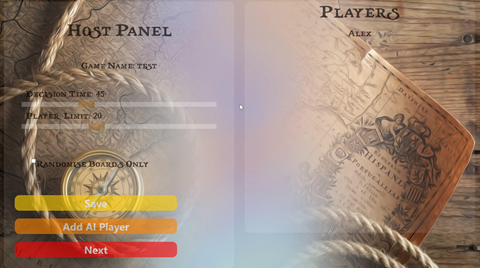
The next page that I added was for the owner of the game to be able to see who has joined their game. They can also, from the page, adjust aditional settings such as how long a player has to respond to an options.
So far, all comminicatiosn between the backend and the frontend have been using http requests. This would work if all the clients were polling the server, but would add a lot of extra requests to the server. Sockets provide the best option for bidirectional communication between client and server.

When a player connects to a game, they then have to join a ship and a captain. These options play a part in the game later on (when I get round to implementing group decisions).
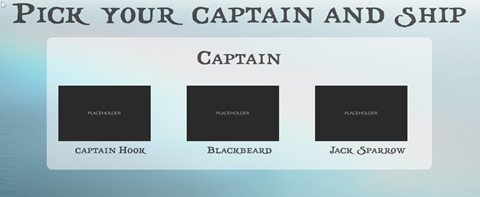
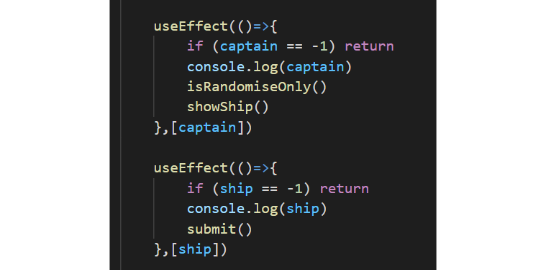
This page involved the use of react useeffect to switch between the two options, it was an interesting use as it required the variable to be updated, rather than a button being clicked.
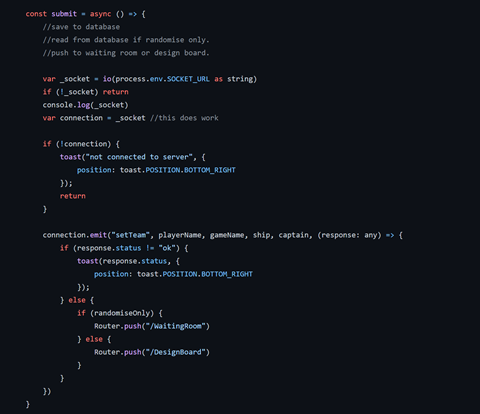
The data from the player was then sent using sockets to the backed to be placed into the database.
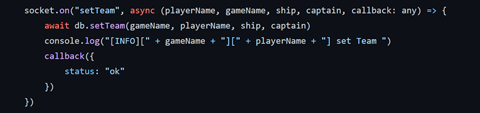
And the code on the backend looks like:
To make the game board, I used gridstack.js. This library managed drag and dropping of tiles, allowing players to create their own board. But, most importantly it was able to save the data of the grid, which could be saved on the database and used to control the game. I could also apply extra classes to specific grid tiles so that I could show the current tile, and dim the old ones.
The game design board page involved the main board, but also a side bar. The player could then drag across the tiles and layout their own board, or simply hit the randomise button at the top.

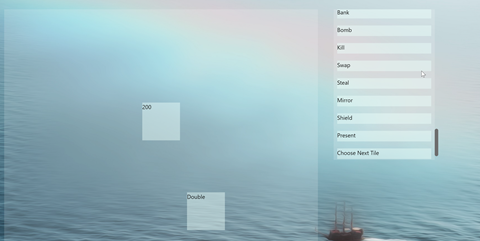
Working out which tiles needed to be on the board was complicated by the host's ability to change the size of the board. My friend Jamie wrote some code to do this, and it only breaks sometimes, so thanks Jamie.
After the player has desgined their board they are then moved into the waiting room, whilst they wait for their friends to complete theirs. Normal players will see the following, but the host will see an extra button that will go green when all players have submitted their board.

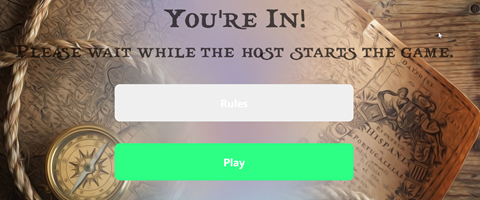
When the host clicks play, everyone is pushed into the game room. This is where the game is played. From this page the player can see vital stats about the game, mainly how much money they have and how many mirrors or shields they have.
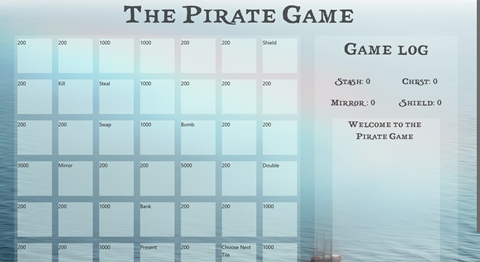
The next and most challenging part of this project was writing the game loop code that processes each turn. This took most of the time on the project and isn’t that interesting to document here. It involved working out what each player must do each turn and working through all the processes. This involved writing a queueing system for tasks, coding all the actions and how to do the actions with any number of mirrors/shield. The game code is approximately 700 lines long, so I won’t put it here.
The even more challenging part of the project was fixing all the bugs in the code that I had written. A key one was the choice wasn’t being cleared between questions, so if the “null” option was sent, it actually sent the previous answer, this took a whole day to find the root cause but was fixed by adding one line of code to clear the choice after it was sent.
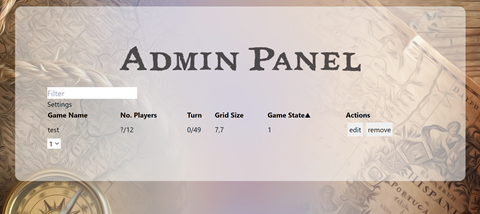
After having this code running on a Digital Ocean VPS for a few weeks I was no longer able to access the server, I had a look at the server state and saw that the storage was completely full. I'm not sure why this happened, but it stopped me from logging in, so I had to reinstall ubuntu. to prevent this from happening again I created an admin panel which shows me all active games and allows me to remove them from the database, and in the future hopefully edit game data during play so I can cheat against my friends. This page is public, but you have to enter a password to do anything on it.
These final weeks of the project were filled with play testing by myself, fixing more bugs and play testing with others. I found by getting friends to play, they had no mercy and were more likely to break something. This was really useful testing for me and uncovered a load of extra work for me to do that evening.
Review
Overall, I really enjoyed doing this project. I have learnt a lot about web development and specifically with all the frameworks and packages that I have used. I’m going to have a break now and do another project when I’m ready or a good idea comes to my head.